Back
Insights
Why Employees Can’t Find Information at Work (& How to Fix it)

Tushar Dublish

Picture this. You’re at work. A meeting is starting in five minutes. You know the document exists. You’ve seen it before. Maybe last week. Maybe yesterday. But now? It’s vanished.
You search Slack. Nothing.
You open Google Drive. Too many folders.
You try the company wiki. Outdated.
You ask a teammate. They’re not sure either.
Sound familiar? Of course it does. Because this exact moment plays out in offices, remote teams, and hybrid workplaces every single day. And it explains, better than any spreadsheet or KPI, why employees can’t find information at work.
This isn’t a small annoyance. It’s a full‑blown workplace information problem. One that quietly drains productivity, kills momentum, frustrates employees, and slows decision‑making. Not because people aren’t smart. Not because tools don’t exist. But because information, messy and scattered, has grown faster than the systems meant to control it.
In this article, we’ll unpack why this happens, how internal information chaos takes hold, and what modern organizations can do to make information accessibility better for employees. Along the way, we’ll connect the dots to enterprise search, knowledge management, culture, and technology. Let’s dive in.
The Invisible Crisis: Why Employees Can’t Find Information at Work
Here’s the uncomfortable truth. Most organizations don’t suffer from a lack of information. They suffer from too much of it, spread across too many places, owned by too many people, updated at different times, and governed by different rules, with no single source of truth tying it all together.
What starts as helpful documentation slowly turns into noise. Files multiply. Versions stack up. Context gets lost. And suddenly, what should have been an advantage becomes a liability.
Employees aren’t failing. The system is.
Solving this doesn’t require asking employees to search harder or document more. It requires fixing the system itself. By giving teams a way to discover information across tools, versions, and permissions in one place. This is the core problem Action Sync AI is built to solve.
When we ask why employees can’t find information at work, we’re really asking why modern workplaces feel like digital junk drawers. Everything’s in there somewhere. Be it old decks, half-finished docs, renamed folders, or forgotten links. But good luck finding the right thing, at the right time, when you actually need it.
The problem isn’t effort. Employees are searching. Clicking. Asking. Re‑asking. The problem is that information has outgrown the structures meant to support it.
Information Is Everywhere… and Nowhere
Emails. Chat tools. Project management apps. Shared drives. Cloud documents. Internal wikis. CRM systems. HR portals. Notion pages. Confluence spaces. Knowledge bases that no one checks anymore. Personal folders that were never meant to last. And that’s just a normal Tuesday.
Each tool solves a real problem in isolation. Together, they create chaos.
But, the real issue isn’t the number of tools. It’s the lack of a shared discovery layer across them. Without something like Action Sync to index, understand, and connect information across systems, employees are forced to remember where to look instead of simply what they need.
Information doesn’t flow cleanly from one place to another. It fragments. It duplicates. It goes stale. What’s correct in one system quietly contradicts what lives in another.
And employees, stuck in the middle of this internal information chaos, are forced to play detective instead of doing actual work. It starts with searching longer, second‑guessing results, and often rebuilding information that already exists somewhere else.

The Workplace Information Problem Didn’t Happen Overnight
Let’s be fair. No company wakes up one morning and says, “Let’s make information impossible to find.” No leadership team sets out to confuse employees or slow work down. This mess builds quietly and gradually, layer by layer, tool by tool, decision by decision. Each choice makes sense in the moment. Together, they compound.
A new tool is introduced to move faster. Another system is added to support growth. A quick workaround becomes a permanent process. Over time, complexity creeps in, unnoticed. What once felt manageable slowly turns into something heavier, harder to navigate, and far more fragile than anyone expected.
How Internal Information Chaos Creeps In?
It usually starts with good intentions and small shortcuts, but these everyday decisions quietly pile up and create long-term confusion.
A new tool is added to “move faster,” but no old tools are retired
Another team adopts its own documentation style, structure, and naming logic
Files get duplicated instead of updated because it feels quicker in the moment
Naming conventions fade away as teams prioritize speed over consistency
Ownership becomes unclear, especially as teams grow or reorganize
Critical knowledge lives in private folders, chats, or inboxes
Temporary documents quietly become permanent sources of truth
Before long, the workplace information problem becomes normal. Employees stop expecting clarity because they’ve learned not to rely on it. They adapt. They work around the system instead of within it. They build personal shortcuts. They save links in notes. They bookmark folders. They DM colleagues instead of searching. They ask the same questions again and again because it’s faster than digging.
And leadership? Often unaware. From the outside, work appears to be getting done. Deadlines are met. Meetings happen. The friction stays hidden beneath the surface.
Because the chaos is invisible, until it isn’t. Until onboarding slows down. Until mistakes repeat. Until teams can’t scale. Until the cost of confusion finally becomes impossible to ignore.

The Real Cost of Internal Information Chaos
Let’s talk impact. Because this isn’t just about frustration. It’s about money, time, trust, and long‑term organizational health. When employees can’t find information at work, the damage spreads quietly but relentlessly across teams.
1. Productivity Takes a Hit
Studies consistently show that employees spend 25–30% of their time searching for information. That’s not deep work. That’s digital scavenger hunting. Be it opening tabs, clicking links, switching tools, or asking around.
Example: A marketing manager spends 25 minutes looking for the latest brand guidelines before launching a campaign. The file exists, but three versions live in different folders. Multiply that delay across designers, writers, and reviewers, and a one‑day task stretches into three.
Multiply this behavior across teams, weeks, and years, and the cost becomes staggering. Hours vanish. Focus breaks. Momentum dies.
2. Decision‑Making Slows Down
When information isn’t accessible, decisions get delayed. Or worse, they’re made with incomplete or outdated context.
Example: A product team ships a feature based on an old requirement document because the updated version lives in a private folder. The result? Rework, frustrated customers, and lost credibility.
Old data wins. Gut feelings take over. Decisions rely on memory rather than evidence. And mistakes repeat because lessons learned are buried rather than made visible.
3. Employee Experience Suffers
Nothing erodes morale like feeling blocked—especially when the blocker is internal. Employees want to do good work. They want to move fast. When systems get in the way, motivation drops.
Example: A new hire asks the same questions repeatedly because onboarding documents are scattered and outdated. They feel slow, even though the system failed them.
Employees don’t complain loudly. They sigh. They disengage. They lower expectations. Over time, that quiet frustration turns into attrition.
That’s dangerous.
4. Collaboration Breaks Down
When information is hard to find, teams stop collaborating effectively. Knowledge becomes territorial instead of shared.
Example: Sales and customer success maintain separate notes on the same account. Insights don’t flow. Customers hear conflicting messages. Trust erodes internally and externally.
The workplace information problem slowly turns collaboration into coordination overhead.
5. Onboarding Takes Longer
New employees rely heavily on accessible information. When it’s missing or hidden, ramp‑up time increases.
Example: A new engineer spends weeks asking for links, permissions, and explanations that should have been discoverable on day one.
This slows teams down and places an unnecessary burden on experienced employees.
6. Risk and Compliance Issues Increase
When teams can’t easily find the latest policies, procedures, or approvals, organizations expose themselves to risk.
Example: An employee follows an outdated compliance process because the updated policy wasn’t searchable. The mistake wasn’t intentional, but the consequences are real.
Poor information access doesn’t just hurt efficiency. It creates avoidable risk that compounds over time. Missed approvals, outdated actions, compliance slips, and decisions made without full context. What feels like a minor search failure in the moment can quietly lead to legal exposure, financial loss, or reputational damage later.

Why Employees Can’t Find Information at Work: The Core Reasons
Let’s break it down. Clearly. Honestly.
The reasons employees struggle to find information at work aren’t mysterious or abstract. They’re practical, repeatable, and deeply embedded in how organizations operate day-to-day. These issues show up across industries, company sizes, and team structures.
1. Information Lives in Silos
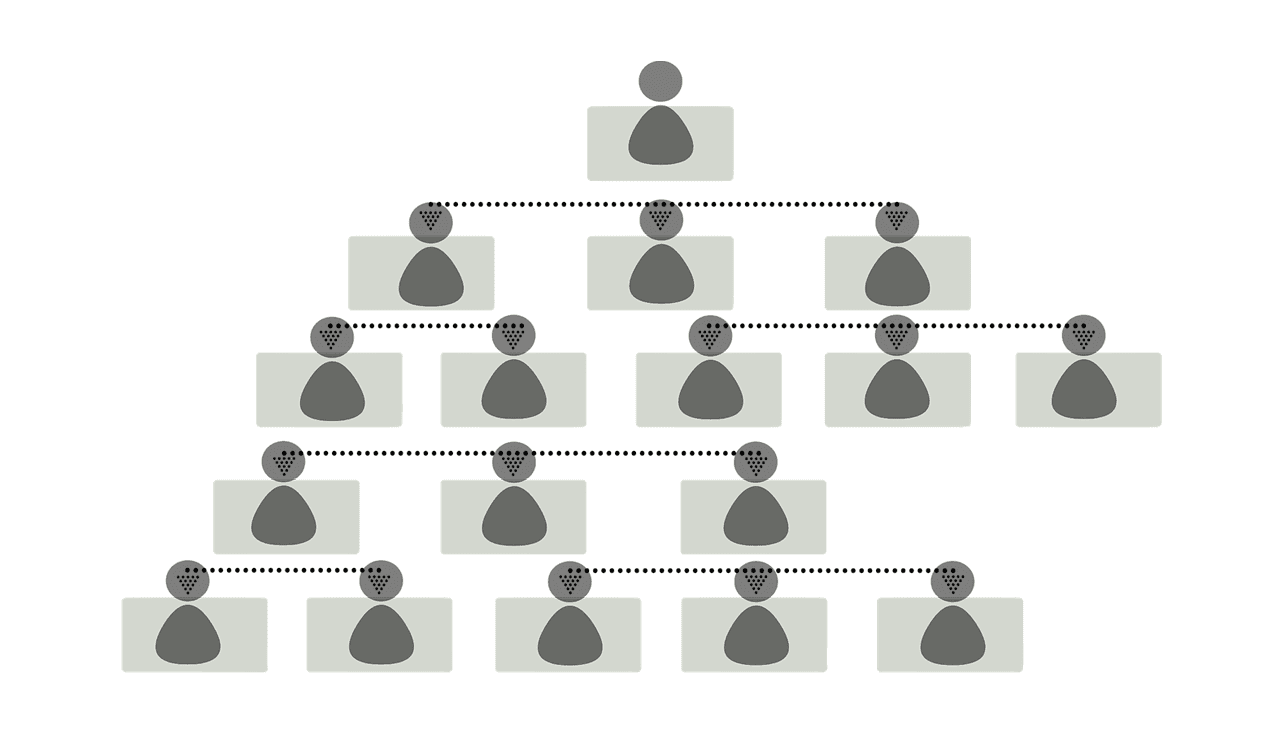
Departments operate like islands. Sales has its tools. Marketing has theirs. HR has another universe entirely. Each function optimizes for its own speed and efficiency, often without thinking about discoverability beyond the team.
Cross‑team visibility? Limited.
Access? Inconsistent.
Example: A salesperson needs updated pricing terms approved by finance. The latest version exists, but it’s stored in a finance‑only folder, while sales still references an older deck shared months ago.
Result? Employees know information exists, but not where. And even when they find something, they’re never fully sure it’s the right or most recent version.
2. Search Is Broken (or Nonexistent)
Most internal search tools are glorified keyword matchers. They don’t understand intent. They don’t rank relevance. They don’t personalize results based on role, team, or past behavior.
Modern enterprise search solutions like Action Sync move beyond keyword matching. They understand intent, rank relevance, respect permissions, and surface the most trustworthy answer. So employees stop guessing and start trusting the search again.
Example: An employee searches for “leave policy” and gets dozens of loosely related documents, Slack messages, and outdated PDFs, none clearly marked as the source of truth.
So employees stop trusting search. They stop using it as a first step.
And once trust is gone, chaos wins. People default to asking around, recreating documents, or relying on memory instead of systems.
3. No Clear Ownership
Who owns this doc? Who updates it? Is it current? Should it even exist anymore?
If no one knows, no one feels responsible.
Example: A process document was written by someone who left the company two years ago. It’s still referenced, even though the process has changed three times since.
Outdated content sticks around. New content piles on top. Confusion grows. Over time, employees stop believing that documentation can be trusted at all.
Enterprise AI assistant platforms like Action Sync help reduce this trust gap by surfacing the most recent, most referenced, and most authoritative sources. Thus, making it easier for teams to rely on what they find instead of second-guessing it.
4. Poor Information Architecture
Folders within folders within folders. Pages with vague titles. Inconsistent tags. No clear logic that explains why something lives where it does.
Example: Three folders named “Final,” “Final‑v2,” and “Updated‑Final” exist in the same drive, each containing different versions of the same file.
It’s not malicious. It’s unmanaged. And unmanaged systems always decay.
5. Tools Were Bought, Not Integrated
Many companies proudly use “best‑in‑class” tools. But those tools don’t talk to each other. Information stays locked inside apps instead of flowing across them.
Example: Customer feedback lives in a support tool, product decisions live in a wiki, and strategy updates live in slide decks. There’s no single way to search across all three.
So employees must remember which tool holds which answer, every single time.
That’s not scalable. And it becomes increasingly fragile as the organization grows.
6. Information Isn’t Kept Up to Date
Even when information is easy to find, it’s often outdated. Processes change. Policies evolve. Teams pivot. But documentation rarely keeps pace.
Example: An employee follows a step‑by‑step internal process document that looks official and well‑written, only to discover halfway through that the steps no longer apply. The team wastes time undoing work that never should have been done.
Over time, employees learn a dangerous habit: they stop trusting what they find. And when trust in information drops, people stop searching altogether.
7. Permissions and Access Are Overly Restrictive
Security matters. But overly rigid permissions can make information effectively invisible to the people who need it.
Example: A project brief exists, but only managers can access it. Individual contributors rely on summaries shared secondhand, losing critical context along the way.
When access rules aren’t aligned with real workflows, employees either wait, workaround, or move forward without the full picture.
8. Information Isn’t Designed for Discovery
Most internal content is written to be stored, not found. Titles are vague. Context is missing. Keywords are an afterthought.
Example: A document titled “Notes – Q2” gives no clue about what’s inside, who it’s for, or whether it’s still relevant.
When information isn’t created with search and discovery in mind, even the best enterprise search tools struggle to surface the right answers.

The Human Factor: Habits, Behavior, and Reality
Technology matters. But people matter more.
Tools can enable access, but human behavior determines whether information is actually findable. How people create, store, and share knowledge plays a huge role in why employees can’t find information at work.
People Don’t Document for Search
Most employees document for themselves. Or for their immediate team. Or just for the moment when something needs to be captured quickly.
They’re not thinking about future employees. They’re not thinking about discoverability. They’re not thinking about how someone, months later, might try to search for this information.
So titles stay vague. Context gets skipped. Important details are in comments or chats rather than in the document itself.
As a result, even when information exists, it’s effectively invisible to anyone who wasn’t there when it was created.
This is why the burden shouldn’t fall entirely on employees. Tools like Action Sync are designed to work with existing habits. Indexing real work as it happens and making it discoverable later. All without forcing people to radically change how they write or share information.
Tribal Knowledge Thrives
In many organizations, some people “just know things.” They’ve been around. They’ve seen systems change. They understand the unwritten rules and hidden dependencies.
Others rely on them, often without realizing how risky that dependency is.
Until they leave. Or take time off. Or switch teams.
And suddenly, critical knowledge walks out the door, leaving gaps that documentation was never built to fill. What remains is confusion, guesswork, and a slow rebuild of understanding that could have been avoided.
Remote and Hybrid Work Made Everything Harder
Let’s be real. The office used to mask information problems in ways most teams didn’t even notice at the time.
You could tap someone’s shoulder. Ask a quick question. Get unstuck in seconds. Information flowed through conversations, hallway chats, and overheard discussions, not systems.
Remote work removed that safety net almost overnight. Suddenly, those informal pathways disappeared. If information wasn’t written down, shared clearly, or easy to search, it might as well not exist.
Now, documentation matters more than ever. Search matters. Structure matters. Clear ownership matters. What used to be solved socially now needs to be solved systematically.
And gaps are painfully obvious. Especially for new hires, distributed teams, and anyone working across functions. Here's a deep dive on how to implement enterprise search for remote teams.

The Workplace Information Problem is a Leadership Problem Too
This might sting. But it’s true.
Leadership sets the tone for how information is treated inside an organization, whether intentionally or not. When leaders treat information as an afterthought, teams quickly learn that clarity isn’t a priority.
When documentation isn’t rewarded, it doesn’t happen. People focus on what gets noticed, measured, and praised. If shipping fast is celebrated but documenting decisions is ignored, knowledge gaps grow quietly in the background.
When clarity isn’t prioritized, chaos spreads. Teams make assumptions. Processes drift. Everyone develops their own version of the truth just to keep moving.
Over time, this behavior becomes cultural. New employees copy what they see. Managers inherit messy systems and pass them along unchanged. The workplace information problem stops feeling like a problem and starts feeling normal.
Culture shapes information behavior. Always.
To promote better information accessibility for employees, organizations can take a few practical, high‑impact steps:
Reward documentation, not just delivery: Recognize teams and individuals who keep information clear, up to date, and discoverable. Not only those who move fast.
Adopt a shared intelligence layer: Tools like Action Sync give leaders visibility into how information is actually used across the organization. Thus, helping them spot gaps, reduce duplication, and make clarity scalable.
Set clear ownership for critical information: Every important document, process, or policy should have a visible owner responsible for accuracy and updates.
Standardize how information is created: Simple rules for titles, summaries, and tags make content far easier to search and reuse.
Make discoverability a default expectation: Encourage teams to write and share information, assuming someone outside their team will need it later.
Invest in shared discovery, not scattered storage: Use enterprise search and connected tools so employees can find answers without knowing where they live.
Model good behavior from the top: When leaders document decisions, share context, and use search themselves, teams follow suit.
Taken together, these actions signal that information clarity is not optional. It’s part of how the organization works. When employees see consistent expectations, proper tooling, and leadership buy‑in, information becomes easier to find, easier to trust, and far easier to use day to day.

Enterprise Search and the Future of Work
Enterprise search isn’t just a feature anymore. It’s infrastructure. It sits at the foundation of how modern organizations access, share, and reuse knowledge across teams.
This is the philosophy behind Action Sync. It treats enterprise search as a foundational intelligence layer that sits across tools, teams, and workflows. Thus, helping organizations move faster without losing context or control.
As organizations grow more complex, search becomes the glue that holds everything together. It connects people to information without forcing them to remember where things live or which tool to open first.
The best tools don’t just answer queries. They reduce friction in everyday work. They surface insights employees didn’t even know existed. They connect dots across documents, conversations, systems, and teams.
And most importantly, they consistently, securely, and at scale improve information accessibility for employees. So finding the right answer becomes routine, not a daily struggle. To get the best results, be sure to follow these enterprise search tips.
FAQs or Frequently Asked Questions
Q: Why is it so hard to find information at work?
Because information is scattered across too many tools, stored in inconsistent formats, poorly indexed, and rarely maintained over time. As teams grow and adopt new systems, content gets duplicated, outdated, or locked behind permissions. Thus, creating internal information chaos where employees know answers exist but struggle to locate or trust them.
Q: Is this mainly a technology problem?
No. Technology plays a role, but the issue runs deeper. It’s a combination of disconnected tools, weak information ownership, inconsistent documentation habits, and leadership priorities that favor speed over clarity. Without cultural alignment, even the best tools fail.
Q: How does enterprise search help?
Enterprise search acts as a unifying discovery layer. It connects multiple systems, understands user intent, respects permissions, and surfaces the most relevant information in one place. Instead of guessing where something lives, employees search once and get reliable answers.
Q: Can better search really improve productivity?
Yes. When employees can quickly find accurate information, they spend less time searching, asking around, or recreating work. This reduces delays, lowers frustration, improves decision-making, and frees up time for meaningful, high‑value work.
Q: How long does it take to fix the workplace information problem?
Some improvements, like better search or clearer ownership, can deliver value quickly. However, lasting change requires consistent effort over time, including better habits, governance, and leadership support. Fixing information access is a journey, not a one‑time project.
Q: What role does leadership play in improving information access?
Leadership plays a critical role. When leaders model good information behavior, it signals that clarity matters. Without leadership support, information initiatives often lose momentum.
Q: How can organizations measure whether information accessibility is improving?
Organizations can track indicators such as reduced time spent searching for information, fewer repeated questions, faster onboarding, higher use of enterprise search tools, and improved employee satisfaction scores related to internal tools and workflows.

Conclusion
So, why employees can’t find information at work isn’t a mystery anymore. It’s the predictable result of rapid growth, scattered tools, unmanaged knowledge, and human habits that were never designed to scale.
But here’s the hopeful part.
Organizations can fix this. And the ones that do gain a real advantage.
When companies treat information as a shared, strategic asset (not a byproduct of work), everything improves. Teams move faster because they’re not blocked by search. Decisions get better because context is easy to find. Frustration drops because employees can trust the systems meant to support them.
By addressing the workplace information problem head‑on, reducing internal information chaos, and improving information accessibility for employees, organizations don’t just improve search or documentation. They also improve employee productivity and reduce costs.
They improve how work actually gets done.
And in a world where speed, clarity, and execution matter more than ever, that effort pays for itself many times over.
Ready to fix the workplace information problem? Book a FREE demo of Action Sync and see how teams find the right information instantly. All without changing how they work.