Back
Enterprise
Why Every Company Needs an Enterprise Assistant in 2026

Amarpreet Singh

There is a moment that happens in almost every growing company. Someone on the leadership team asks a simple question. Something like: “What’s the current status of the Henderson account?” or “Where is the latest version of the Q2 compliance report?”
And then the scramble begins.
A Slack message goes out. Someone checks Google Drive. Another person digs through email threads. A third pings a colleague who might remember where that document lives. Fifteen minutes later, the answer arrives — incomplete, slightly out of date, and pieced together from four different sources.
This is not a technology failure. It is an organizational one. And in 2026, it is no longer acceptable.
The companies pulling ahead right now are not just the ones with better products or bigger budgets. They are the ones that can think faster, respond faster, and act on the right information faster. They have figured out something their competitors have not: knowledge is infrastructure.
And an enterprise AI assistant platform is the foundation that makes that infrastructure usable.
This is exactly the shift platforms like Action Sync are built around. They're not another tool, but as an intelligence layer that sits across your stack, turning fragmented data into real-time, usable knowledge.
The World Your Employees Actually Work In
Think about what a typical knowledge worker’s day looks like in 2026.
They wake up to 40 unread Slack messages. They have three tools open before 9 AM. They spend the first hour of work context-switching between their inbox, their project management platform, and a shared document someone dropped in a channel at midnight. By noon, they have attended two video calls, generated three action items, and forgotten where they saved the notes from the last client meeting.
This is the reality for most professionals in mid-sized to large organizations. Not because they are disorganized. Because the environment they work in is.
The average company today uses between 40 and 80 SaaS tools. Data lives in Notion. Conversations happen in Slack. Projects run in Jira. Client records sit in Salesforce. Contracts are buried in SharePoint. Marketing assets live in Google Drive. And no single system talks meaningfully to the others.
The result is a knowledge landscape that is rich in data but poor in access.
Research consistently shows that workers spend 20 to 30 percent of their week searching for information rather than using it. That is not a rounding error. That is one full day per week, per person, consumed by friction that should not exist.
An enterprise assistant does not just save time. It changes the nature of how people work. It closes the gap between having information and being able to use it.
What an Enterprise Assistant Actually Is (And Is Not)
Let’s clear something up first.
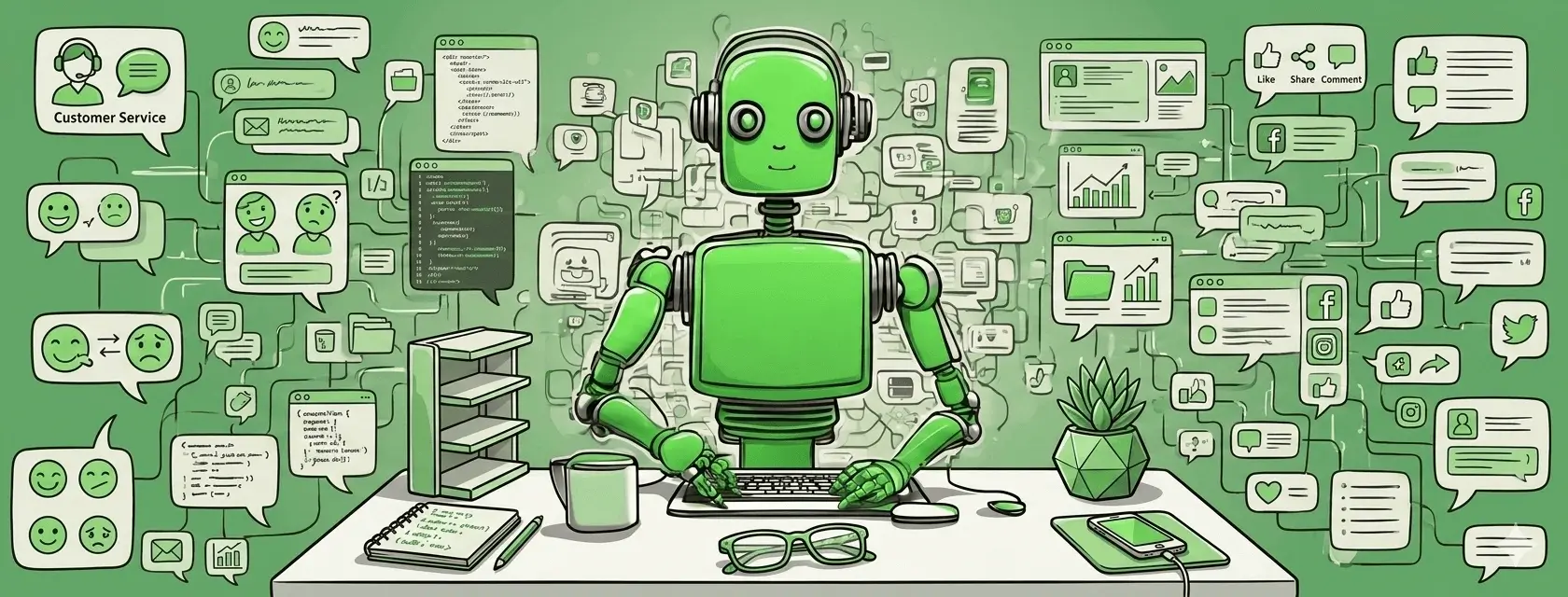
An enterprise AI assistant is not a chatbot. It is not a search bar with a natural language interface bolted on. It is not a consumer AI product deployed at scale.
It is an intelligence layer that sits across your entire organization.
It connects to the tools your teams use every day. It indexes the knowledge those tools contain. It understands context — who is asking, what department they work in, what they were working on yesterday. And it delivers answers that are grounded in your actual company data, not just the public internet.
Think about the difference this way.
A general AI tool is like a brilliant consultant who just joined your company. They are smart and capable. But they have never read your internal documents. They do not know your clients. They have never attended one of your strategy meetings. When you ask them something specific, they give you a general answer. But it is never quite right, because they are working without your context.
An enterprise assistant is more like a colleague who has been at the company for years, reads everything, remembers it all, and can surface any piece of it the moment you need it — across every system, every team, every project.
That is not just a better search tool. That is a different way of operating.
Here's a detailed article explaining what is an enterprise AI assistant.
Why 2026 Is the Breaking Point For Enterprises?
The conversation about AI in the enterprise has been going on for years. So why does 2026 feel different?
Because the gap between companies that use it well and those that don't has become visible.
Three Forces Have Converged This Year.
First, AI has matured. Early enterprise AI tools were brittle. They required heavy setup, delivered inconsistent results, and rarely survived contact with real organizational complexity. That has changed. The current generation of enterprise assistants connects to production data sources reliably and integrates into existing workflows without months of implementation work.
For example, enterprise assistant software like Action Sync now integrate directly with production systems (CRM, support, internal docs) with minimal setup. Thus, making it possible to deploy enterprise-grade intelligence without months of implementation overhead.
Second, employees have changed. Workers who use AI tools in their personal lives (for writing, research, planning) now expect similar capabilities at work. They know what is possible. When they cannot find it in their professional tools, the frustration is real.
Third, the competitive pressure is higher than it has ever been. New AI-native competitors are entering every market. Speed of execution has become a primary differentiator. The companies that move faster because their employees spend less time hunting for information have a compounding structural advantage.
This is not a gradual trend. It is a threshold. And in 2026, the companies crossing it are separating from the ones that have not.
Can You Skip AI? Here's The Real Cost of Doing Nothing.
Here is the objection that comes up in almost every enterprise AI conversation: “We are not sure the ROI justifies the cost.”
It is a fair thing to say. But it misses something important.
The cost of not having an enterprise assistant is not zero. It is just invisible.
Every hour a sales rep spends digging through CRM notes instead of preparing for a call is a cost. Every onboarding week a new hire spends figuring out where everything lives is a cost. Every duplicated effort is a cost. Every decision made on stale or incomplete information is a cost.
These costs do not show up on an invoice. But they accumulate every single day.
Let’s make it concrete. Suppose you have 200 knowledge workers at your company. Each of them spends, conservatively, 90 minutes per day searching for information. At an average fully loaded cost of $75 per hour:
200 people × 1.5 hours × $75 = $22,500 per day
That is over $5.5 million per year in productivity lost to information friction alone.
This is precisely the category of inefficiency systems like ActionSync are designed to eliminate — not by adding another workflow, but by removing the need to search altogether.
An enterprise assistant that cuts that search time by even 40 percent pays for itself many times over.
So, before your next budget conversation about enterprise AI, run this calculation for your own org. Take the number of knowledge workers, estimate time spent searching weekly, multiply by hourly cost, and annualize it. The number will surprise most leadership teams.

Six Reasons on Why Every Company Needs an Enterprise Assistant in 2026
1. Your Knowledge Is Scattered Across Too Many Systems
This is the core problem. And it does not get better on its own.
Every time you adopt a new tool, a new pocket of knowledge forms. Some of it is documented. Most is not. The institutional knowledge of your company (how decisions get made, what has been tried before, who knows what) lives partly in documents, partly in Slack threads, partly in people’s heads, and partly in email chains that nobody can find.
An enterprise assistant addresses this by creating a unified access layer on top of your existing tools. You do not have to move data, consolidate platforms, or build a single source of truth from scratch. The assistant connects to where your knowledge already lives and makes it findable through a simple conversation.
In enterprise search systems like Action Sync, this shows up as a unified query layer. This is where a single question can pull structured answers across Slack, CRM, docs, and tickets, without requiring users to know where the information lives.
Example: A mid-sized SaaS company’s customer success team was spending hours every week piecing together client context before quarterly business reviews. After deploying an enterprise assistant connected to their CRM, support ticketing system, Slack, and Google Drive, the prep time for each QBR dropped from 90 minutes to under 10.
2. Onboarding Takes Too Long, And It Does Not Have To
Onboarding is one of the highest-leverage problems an enterprise assistant solves. And most companies underestimate just how much time and money is lost here.
The average knowledge worker takes three to six months to become fully productive in a new role. Much of that time is not spent learning skills. It is spent figuring out where things live.
An enterprise assistant compresses this dramatically. New hires can ask questions and get answers grounded in real company knowledge — immediately. They can explore past decisions, understand processes, and find the context they need without interrupting colleagues.
Pro Tip: When deploying an enterprise assistant, index your onboarding materials, process documentation, past project retrospectives, and archived decision logs first. These are the highest-value sources for new hires and the most commonly searched content in the first 90 days.
3. Knowledge Silos Kill Good Decisions
A knowledge silo is not just a culture problem. They are a knowledge access problem.
In most organizations, the marketing team does not know what the sales team is hearing from prospects. The product team does not know what customer support is seeing in tickets. When knowledge stays inside departments, decisions get made without the full picture.
An enterprise assistant breaks silos not by forcing cross-functional collaboration but by making cross-functional knowledge accessible. A product manager can ask what customer support has been hearing about a particular feature. A sales leader can ask what the marketing team’s research found about a specific vertical.
Example: A financial services firm deployed an enterprise assistant across its compliance, legal, and operations teams. Compliance questions that used to take two to three days to resolve across multiple email threads were answered in under two minutes, with citations pointing to relevant policy documents.

4. Speed of Execution Is Now a Competitive Differentiator
In 2026, the companies that win are not always the ones with the best strategy. They are the ones that can execute their strategy faster than everyone else.
Every delay in information access is a delay in decision-making. Every decision delayed is an opportunity for a competitor to move faster, a customer to lose patience, or a market window to close.
An enterprise assistant removes the friction between knowing something and acting on it. When an employee can ask a question and get a reliable answer in seconds, they move faster. When that happens across hundreds or thousands of employees, the cumulative acceleration is significant.
Pro Tip: Identify the three or four workflows in your company where time-to-information has the biggest impact on outcomes. Good places to look for include sales, customer success, compliance, and incident management. Deploy your enterprise assistant there first.
5. Security and Compliance Cannot Be an Afterthought
As AI adoption has grown inside enterprises, so have the risks.
When employees use general-purpose AI tools without guardrails, sensitive company data ends up in consumer systems.
Client names, contract terms, financial projections, unreleased product details. All of it can be pasted into a chat window with no audit trail and no access controls.
For companies in regulated industries (finance, healthcare, defence, legal), this is not a compliance risk to be managed. It is a show-stopper.
Enterprise assistants are built with data governance at the core. Role-based access controls. Private deployment options. Audit logging. Encryption in transit and at rest.
Enterprise-grade systems like Action Sync are designed with this in mind. They offer role-based access, private deployment options, and full auditability, ensuring that intelligence is accessible without compromising control.
Example: A healthcare technology company needed to give clinical staff access to internal protocol documentation without risking exposure of patient data. An enterprise assistant with role-based access controls and a private deployment model made this possible, with full audit logging for all queries.
6. The Move From Reactive to Proactive Intelligence
Most enterprise tools are reactive. You go to them when you need something. You search, you retrieve, you decide.
The next phase of enterprise assistants is proactive intelligence. This system surfaces what you need before you ask.
Enterprise assistants that understand your role, your current projects, and your historical patterns can begin to anticipate informational needs. Before a sales call, the assistant can surface the last three interactions with that client. Before a board meeting, it can pull together a digest of relevant activity from the past quarter.
Pro Tip: When evaluating enterprise assistant platforms, ask vendors specifically about their proactive intelligence roadmap. Can the system surface relevant context automatically based on calendar or project activity? The answers will separate genuinely intelligent systems from those that are just better search tools.
What to Look For When Choosing an Enterprise Assistant
Not all platforms are equal. When you move into evaluation mode, here is what actually matters.
Integration breadth and depth. Ask vendors to demonstrate live information retrieval from the tools you actually use. A list of logos on a marketing page is not the same as functional integration. Go a step further and ask for real-time queries across at least 2–3 of your core systems in a live demo environment. True depth shows up in how well the assistant handles edge cases, permissions, and data freshness—not just happy paths.
Retrieval quality. The assistant should understand what you mean, not just match keywords. Test it with ambiguous, natural language queries. Push it with messy, incomplete prompts the way real employees would. The best systems interpret intent, resolve ambiguity, and synthesize answers instead of simply returning documents.
Data ownership and privacy controls. Where is your data processed and stored? Does the vendor offer private deployment? These are the first questions your IT and legal teams will ask. Also evaluate auditability, data retention policies, and whether your data is used to train external models. Strong answers here are non-negotiable for enterprise adoption.
Role-based access. The assistant should respect the permissions you have already established across your systems. It should not surface information a user is not authorized to see. Look for granular access enforcement and inheritance from source systems to ensure governance remains intact at scale.
User experience. Powerful but hard-to-use tools do not get used. Fast responses and clean interfaces drive daily engagement. Pay attention to latency, clarity of answers, and how easily users can refine queries. Adoption is driven less by capability and more by how effortless the experience feels.
Workspace customization. Sales, engineering, HR, and finance all have different knowledge needs. The platform should adapt accordingly. The best assistants allow role-specific views, tailored context, and workflow-level customization so each team feels like the system was built for them—not forced upon them.
Before shortlisting vendors, run a structured 30-day pilot with a small team. Track qualitative signals:
Do people use it daily?
Do they recommend it to colleagues?
Did it make a specific decision better?
Qualitative adoption signals predict long-term success better than any benchmark test.
For your reference, do check out these enterprise assistant examples and replicate the ones that seem fit for your organization.
A Day Without vs. A Day With an Enterprise Assistant
Without an enterprise assistant:
A product manager needs to prepare for a cross-functional sync. She spends 20 minutes pulling notes from Notion, searches Slack without finding the right channel, and chases down the latest technical spec from her engineering lead.
Along the way, she second-guesses whether she is even looking at the most recent version of the document, re-reads old threads to reconstruct context, and interrupts two teammates just to validate assumptions. By the time the meeting starts, she is only partially confident in the information she has gathered.
The meeting runs 20 minutes over time because the team is aligning on context rather than making decisions, repeating information that already exists somewhere in the system but is not easily accessible.
Discussions drift, decisions get deferred, and follow-ups multiply because no one is fully certain they are operating with the complete picture.
With an enterprise assistant:
The same product manager types one question: “What do we know about the checkout redesign — discovery, specs, open issues, and recent team discussion?”
In under 30 seconds, she has a structured summary — exactly the kind of output systems like ActionSync are designed to deliver — pulling from Notion, Jira, Confluence, and Slack. She walks into the meeting already aligned. The team makes decisions in 25 minutes instead of 45.
That is one meeting. Multiply it across every person in your organization, every week, every quarter.

Ok, I'm Sold. But What About Adoption?
Deploying an enterprise assistant is not a technology decision. It is a behavior change initiative.
What most organizations underestimate is that the real challenge is not access to intelligence, it is trust in it. Employees do not change how they work because a new tool exists. They change when they believe that using it will consistently make them faster, better, and more confident in their decisions.
The tool is only valuable when people use it consistently. And people use it consistently when three things are true: the answers are accurate, the experience is fast, and the outcomes are meaningfully better than their current workflow. If an employee has to double-check every answer, wait too long for responses, or feels the output is incomplete, they will revert to old habits almost immediately.
This is why adoption is not a launch event. It is a system of reinforcement. The most successful organizations design for repeated usage from day one. They embed the assistant into existing workflows rather than expecting users to seek it out. They reduce friction to near zero, by integrating it into Slack, internal dashboards, and daily tools. So that using the assistant feels like the default, not an extra step.
Organizations that succeed share a few common traits. They launch with a focused use case rather than a sprawling deployment, targeting a high-frequency, high-friction problem where the value is immediately visible. They communicate clearly about what the assistant can and cannot do, setting the right expectations early to avoid disappointment.
They identify and empower early advocates in key departments: people who not only use the tool but demonstrate its value in real workflows, influencing peer behavior far more effectively than top-down mandates.
They also measure what matters. Not just usage metrics, but decision speed, time saved, reduction in duplicated work, and improvement in output quality. These signals reinforce belief across the organization.
Ultimately, successful adoption happens when the assistant transitions from being perceived as a tool to being experienced as a teammate. Something employees instinctively turn to because it consistently helps them think, decide, and execute better.
This is also why enterprise AI assistants like Action Sync focus heavily on embedding into existing workflows (Slack, internal tools). Because adoption is not driven by capability alone, but by how naturally the system fits into daily work.
Pro Tip: Pick a single high-frequency, high-friction workflow for your initial deployment. Nail the experience in that one workflow before expanding. Early wins build trust, and trust drives adoption.
Answers to Most Common Objections
“Our employees already use ChatGPT for this.”
General-purpose AI tools are excellent for tasks that do not require internal context. But when someone needs to know what your company has decided, what a specific client’s history looks like, or what your internal policy says — general AI cannot help. It does not know your company. An enterprise assistant does.
“We do not have the IT bandwidth to implement another platform.”
The implementation burden of modern enterprise assistants is dramatically lower than it was three years ago. The best platforms deploy with minimal infrastructure overhead and connect to existing tools via standard APIs. The question is not whether your IT team can handle it. It is whether you can afford the ongoing cost of not having it.
“We are not sure our data is organized enough to benefit.”
This is the most common objection — and the most mistaken. Enterprise assistants are built for messy, distributed knowledge environments. You do not need to clean up your data before deploying one. Start where your data is.
“We tried something like this before and it did not work.”
First-generation enterprise search tools were keyword-based, fragile, and required constant maintenance. Modern enterprise assistants are built on fundamentally different architecture — semantic retrieval, LLM-backed synthesis, live integrations. If your last experience was more than two years ago, the technology has changed enough to warrant a fresh evaluation.

Conclusion
One thing is clear in 2026: the companies that are ahead on enterprise AI are not waiting for the technology to mature further. They are deploying, learning, and iterating now.
The window for building a structural AI advantage is open. But it will not stay open indefinitely.
As enterprise assistants become table stakes, the question will shift from “should we invest?” to “why did we wait so long?”
The cost of moving early is the cost of implementation, learning, and occasional friction. The cost of moving late is permanently playing catch-up against competitors who built an intelligence advantage while you were still deciding.
Every company will have an enterprise assistant eventually. The ones that move now will compound that advantage across every quarter between now and then.
An enterprise assistant is not a feature. It is not a department project. It is not a nice-to-have for companies with large budgets. It is the foundation of how modern organizations manage their most valuable resource: knowledge.
In 2026, with AI rewriting competitive dynamics, employee expectations shifting, and execution speed becoming the primary lever of organizational success — the case for enterprise AI is not a technology argument. It is a strategy argument.
The companies that get this right are not necessarily the ones with the most data or the most advanced AI. They are the ones that understand that intelligence is only useful when it is accessible.
If you are still running your organization on scattered knowledge and manual search, the cost is already accumulating. Every week you wait is another week your competitors have a clearer picture, make faster decisions, and respond more effectively to the market.
The infrastructure for intelligent work is available. The only question is when you build it.
👉 Ready to see what an enterprise assistant looks like inside a real organization? Book a free demo of ActionSync today!